
Task: Replace Spinner with Skeleton Loading
Task Description: Replace the loading spinner in the Products Listing page with skeleton loading UI (content placeholders) using animated Tailwind classes for a more polished user experience.
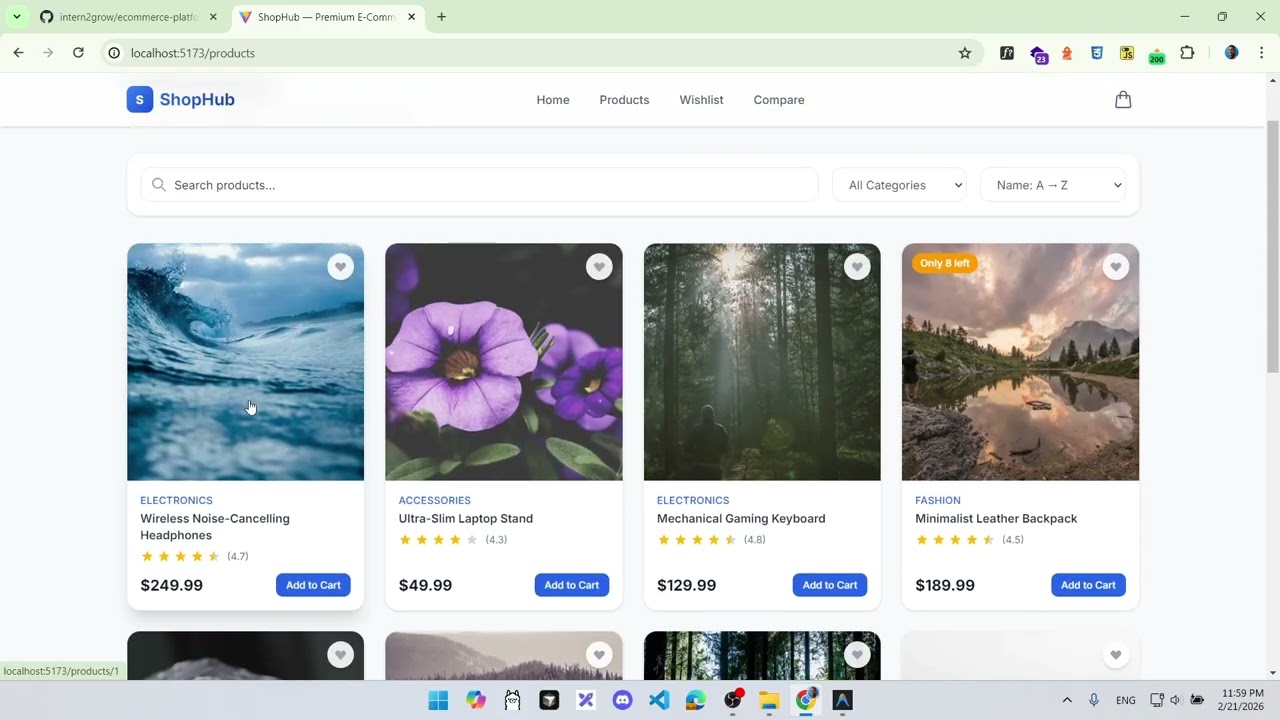

Detailed Description
Ask ChatGPT
Replace Spinner with Skeleton Loading
Objective
Replace the loading spinner in the Products Listing page with skeleton loading UI (content placeholders).
Why It Matters
Skeleton screens reduce perceived loading time and feel more polished than spinners. They are the industry standard for modern web applications (used by Facebook, YouTube, LinkedIn, etc.).
Technical Requirements
- Create a
ProductCardSkeletoncomponent that matches theProductCardlayout - Use animated Tailwind classes:
animate-pulsewithbg-gray-200blocks - Show a grid of 8 skeleton cards during loading
- Replace the spinner in
ProductsPage.jsxwith the skeleton grid
Expected Behavior
- While loading, users see a grid of placeholder cards that pulse/shimmer
- Skeleton cards match the real card dimensions (image, title, price, button areas)
- Transition to real content is smooth
Acceptance Criteria
ProductCardSkeletoncomponent created- Skeleton matches real
ProductCardproportions - 8 skeleton cards shown during loading
- Spinner is fully replaced
- Loading animation uses
animate-pulse
Edge Cases
- Very fast load times (skeleton should not flash briefly — optional: add minimum display time)
- Different screen sizes (skeleton should be responsive like real cards)
Hints
- Structure:
<div className="animate-pulse"><div className="bg-gray-200 aspect-square rounded-2xl" /><div className="h-4 bg-gray-200 rounded mt-3 w-3/4" /></div> - Match the grid layout used for real products
- Tailwind's
animate-pulsehandles the shimmer animation automatically