
Task: Add Checkout Form Validation
Task Description: Implement client-side validation for the checkout form, including required fields, email/phone format validation, inline error messages, and submission prevention.
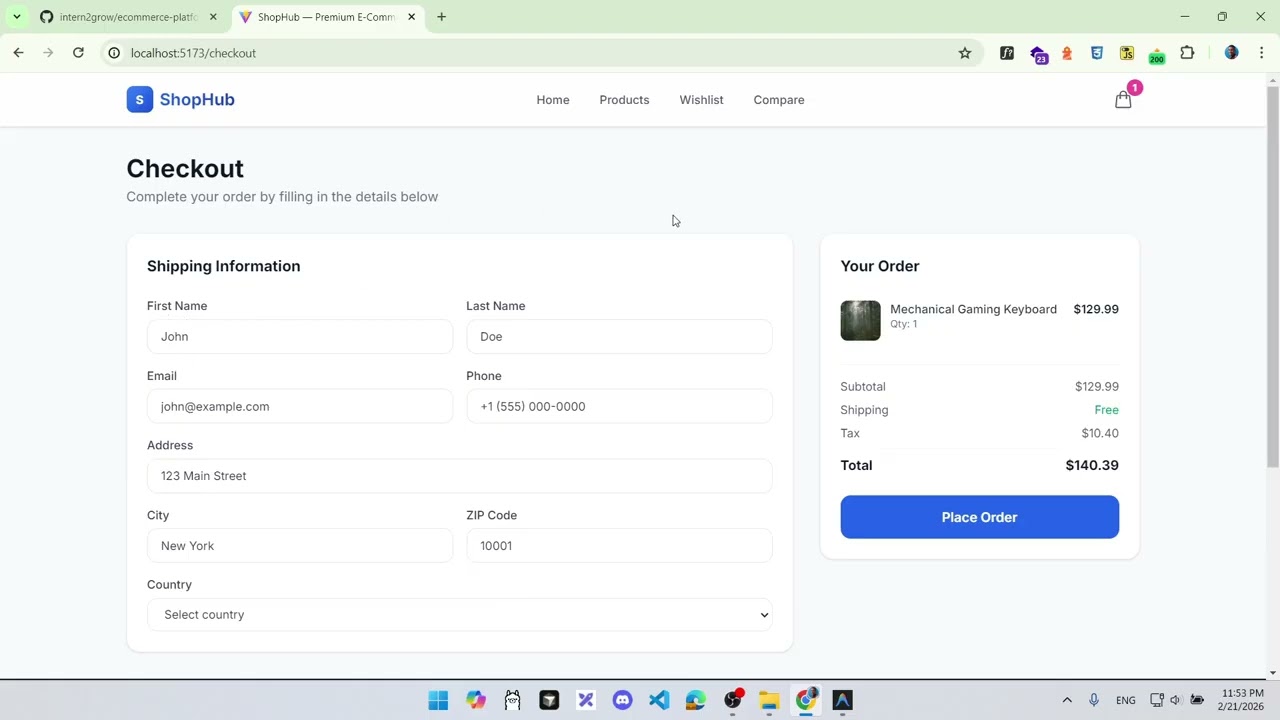

Detailed Description
Ask ChatGPT
Add Checkout Form Validation
Objective
Implement client-side validation for the checkout form.
Why It Matters
Form validation prevents invalid data submission and improves UX. It demonstrates handling user input, error states, and conditional rendering.
Technical Requirements
- Validate all fields are required (not empty)
- Validate email format (use regex:
/^[^\s@]+@[^\s@]+\.[^\s@]+$/) - Validate phone format (accept: digits, spaces, dashes, parentheses, + prefix)
- Show inline error messages below each invalid field
- Prevent form submission when validation fails
- Show errors only after the user attempts to submit or after the field loses focus
Expected Behavior
- Submitting with empty fields shows "This field is required" errors
- Invalid email shows "Please enter a valid email address"
- Invalid phone shows "Please enter a valid phone number"
- Valid submission proceeds as before
- Error messages disappear when the field is corrected
Acceptance Criteria
- All fields require non-empty values
- Email validation with proper regex
- Phone validation with proper regex
- Inline error messages displayed below fields
- Form cannot be submitted with errors
- Errors clear when fields are corrected
- Error styles (red border, red text) applied to invalid fields
Edge Cases
- Whitespace-only input (should be treated as empty)
- Email with multiple @ signs
- Phone number with international prefix
- Submitting, fixing one field, and submitting again
Hints
- Create a
validateForm(form)function that returns an errors object - Store errors in state:
const [errors, setErrors] = useState({}) - Add a
touchedorsubmittedstate to control when errors display - Apply conditional classes:
border-red-500when field has error